 Cloudera
All The New In Cloudera 7.3.2
Updated:
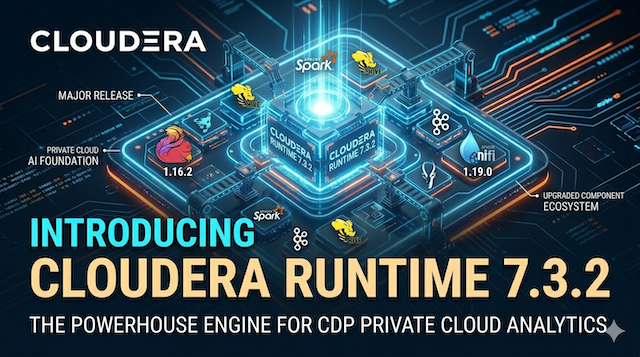
Cloudera Runtime 7.3.2 delivers a comprehensive set of new capabilities, modernizations, and performance improvements across the entire platform. This release modernizes the stack with JDK 17 support for multiple components (bringing better performance, security, and long-term maintainability), adds IPv6 dual-stack support in several services for enhanced network scalability and future-proofing, and includes major rebases such as Hadoop to 3.4.x. It also rolls forward all service packs and cumulative hotfixes from 7.3.1.100 through 7.3.1.706.
Key highlights include a completely redesigned React-based UI for Apache Atlas with improved search, filtering, and navigation; automated entity auto-purging and asynchronous metadata import for better metadata hygiene and scalability; the new Cloudera Storage Optimizer in Ozone that intelligently converts cold data to erasure coding for 45-60% storage savings; numerous Hive UX enhancements and new commands; G1 Garbage Collector defaults on JDK 17 for HDFS, Ozone, and others; plus targeted improvements in Cruise Control, HBase, Impala, Ranger, Phoenix, and more. Operational, security, and configuration enhancements round out the release, making upgrades smoother and deployments more efficient.
Component Version Rebases
| Component | Previous Version | New Version | Type | Notes |
|---|---|---|---|---|
| Apache Atlas | 2.1.0 | 2.4.0 | Component Upgrade | Full upstream rebase + UI and stability fixes |
| Apache Hadoop (HDFS) | 3.x series | 3.4.1 | Major Rebase | Includes all features/fixes from 3.2–3.4 |
| Apache Hadoop (Cloud Connectors) | 3.x series | 3.4.2 | Major Rebase | Dedicated Cloud Connectors rebase |
| Apache HBase | 2.4.17 | 2.6.3 | Component Upgrade | Upstream stability + performance fixes |
| Apache Kafka | 3.4.1 | 3.9.1 | Major Rebase | Full rebase through 3.5–3.9.1 |
| Apache Phoenix | 5.1.3 | 5.2.1 | Component Upgrade | Performance + cluster-wide metadata upgrade blocks |
| Apache Ranger | 2.4.0 | 2.6.0 | Component Upgrade | Latest fixes while maintaining compatibility |
| Apache Spark (Spark 3) | — | 3.5.4 | Major Rebase | Rebase of Spark 3 to 3.5.4 |
Other Components Feature additions, JDK 17 support, IPv6, or hotfixes.
- Cruise Control
- Hive
- Cloudera Data Explorer (Hue)
- Iceberg
- Impala
- Knox
- Kudu (JDK 17 only)
- Livy
- Navigator Encrypt
- Oozie
- Ozone (no core version change)
- Ranger KMS
- Schema Registry
- Solr
- Spark Atlas Connector
- Sqoop
- Streams Messaging Manager
- Streams Replication Manager
- YARN / YARN Queue Manager
- Zookeeper
Platform-wide changes
- Widespread JDK 17 adoption (most services)
- IPv6 dual-stack support (multiple services)
- New OS support (RHEL 9.6, Rocky Linux 9.6, SLES 15 SP6, Ubuntu 24.04)
- New DB support (MariaDB 11.4)
What’s New in 7.3.2
- What’s New in Apache Atlas
- What’s New in Cloud Connectors
- What’s New in Cruise Control
- What’s New in Apache HBase
- What’s New in HDFS
- What’s New in Hive
- What’s New in Cloudera Data Explorer (Hue)
- What’s New in Iceberg
- What’s New in Impala
- What’s New in Kafka
- What’s New in Knox
- What’s New in Kudu
- What’s New in Navigator Encrypt
- What’s New in Oozie
- What’s New in Ozone
- What’s New in Phoenix
- What’s New in Ranger
- What’s New in Ranger KMS
- What’s New in Solr
- What’s New in Spark
- What’s New in Streams Replication Manager
- What’s New in YARN and YARN Queue Manager
- What’s New in Zookeeper
What’s New in Apache Atlas
New React-Based User Interface for Apache Atlas
Apache Atlas now features a redesigned React-based user interface that offers enhanced usability and streamlined metadata management. You can switch between the Classic and New UI experiences. The new interface introduces an improved search panel that automatically lists all available entity types, classifications, and glossary terms, with one-click access to relevant members. Enhanced filtering capabilities allow users to show empty service types, unused classifications, and toggle between category or term views in the glossary. Additionally, entities and classifications can now be displayed in a collapsed flat tree view for simplified navigation of complex metadata hierarchies. For more information, see Apache Atlas dashboard tour.
Apache Atlas component upgraded to 2.4.0
The Atlas runtime component is upgraded from 2.1.0 to 2.4.0. Several stability and correctness fixes are included from the upstream release for bugs, including user interface improvements for classification propagation settings.
Atlas Auto-Purging introduced
The automated entity auto-purging feature addresses potential performance and storage issues caused by the previous manual purge strategy. Atlas preserves metadata by only marking entities as deleted. This leads to query performance degradation and increased storage usage as soft-deleted entities accumulate. The soft-deleted items could be only manually deleted by using the PUT /admin/purge/ API call, however, this API call leaves behind the column lineage entities for soft-deleted process entities.
The new, cron-based system can be configured to clean up obsolete process entities, including their column lineage entities, that are no longer relevant. This prevents sparse graphs and significantly improves metadata hygiene and query performance. For more information, see Atlas Auto-Purging overview.
Support replication of Atlas data from on-prem to on-prem
Atlas now supports asynchronous import of metadata using Kafka. Previously, the only import mechanism was synchronous: the HTTP connection remained open until the entire import completed, causing timeouts for large datasets and making concurrent imports fragile. With asynchronous import, a client submits an import request that is immediately staged and queued as a Kafka message, and receives an import ID in response without waiting for processing to finish. Atlas processes the import in the background and persists the request state, including received time, processing start time, completion time, and outcome.
The following new REST API endpoints are available:
- POST /api/atlas/admin/async/import — submit an asynchronous import; returns immediately with an import ID
- GET /api/atlas/admin/async/import/status — list all async import statuses
- GET /api/atlas/admin/async/import/status/{importId} — get the status of a specific import
- DELETE /api/atlas/admin/async/import/{importId} — abort a specific queued import
Atlas upgraded to use JDK 17
Atlas now runs on Java 17, upgraded from Java 8. JDK 17 is a Long-Term Support (LTS) release that brings improved performance, enhanced security, and better long-term maintainability. Key benefits for Atlas users include:
- Improved garbage collection, resulting in lower latency and more efficient memory usage for metadata-intensive workloads.
- Stronger cryptographic algorithms reducing security vulnerabilities.
- Long-term support guaranteed until at least 2029, ensuring continued security patches.
Logback introduced as logging framework
Apache Atlas now uses Logback as its logging framework, replacing Log4j2. This change enhances security and simplifies log management. It also enables the user to add any new properties overriding existing properties.
Simplified Configuration: Streamlined logging setup is introduced with native XML configuration instead of the .properties file. * Go to Cloudera Manager > Atlas Server XML Override to replace the complete configuration file. Configuration still remains the same, as file size and rotation.
What’s New in Cloud Connectors
Rebase to Hadoop 3.4.2
This release of the Cloud Connectors is based on Hadoop 3.4.2. See the following upstream resources for more information on the changes:
What’s New in Cruise Control
New configuration parameter for controlling IP stack preference
A new cc.additional.java.options configuration parameter is available on the Cruise Control configuration page in Cloudera Manager. The default value sets the IP protocol to IPv4.
New intra.broker.goals configuration for Cruise Control
Cloudera Manager introduces a new intra.broker.goals configuration for Cruise Control. The default value includes
com.linkedin.kafka.cruisecontrol.analyzer.goals.IntraBrokerDiskCapacityGoal
and
com.linkedin.kafka.cruisecontrol.analyzer.goals.IntraBrokerDiskUsageDistributionGoal.
This has an effect on the existing Default Goals (default.goals) configuration, which must be a subset of Supported Goals and Supported Intra Broker Goals.
Additionally, the intra.broker.goals configuration no longer needs to be defined in an advanced configuration snippet if done previously.
What’s New in Apache HBase
IPv6 support for HBase
Starting with the 7.3.2 release, HBase client supports IPv6 with dual-stack functionality, allowing seamless communication over both IPv4 and IPv6 networks. This capability improves network scalability, future-proofs deployments, and enhances overall platform security.
For more information, see Enabling IPv6 support for HBase.
HBase JDK 17 upgrade
HBase only supports JDK 17 starting with the 7.3.2 release. Upgrade to JDK 17 to gain improved performance, increased security, modern language features, and long-term support, ensuring your application remains competitive and maintainable.
Apache HBase component upgraded to 2.6.3
The HBase runtime component is upgraded from 2.4.17 to 2.6.3. This release incorporates stability and correctness fixes from the upstream, which deliver performance and maintenance improvements, and enhanced client connectivity support.
What’s New in Apache HDFS
Support for G1 Garbage Collector (G1GC) with JDK 17
When running HDFS on JDK 17, all HDFS server processes now automatically use the G1 Garbage Collector (G1GC). No action is required for most deployments.
Hadoop rebase summary
In Cloudera Runtime 7.3.2, Apache Hadoop is rebased to version 3.4.1. The Apache Hadoop upgrade improves overall performance and includes all the new features, improvements, and bug fixes from versions 3.2, 3.3, and 3.4.
| Apache Hadoop version | Apache Jira | Name | Description |
|---|---|---|---|
| 3.2 | HDFS-10285 | Storage Policy Satisfier in HDFS | StoragePolicySatisfier (SPS) allows you to track and fulfill the storage policy requirement of a given file or directory in HDFS. You can specify a file or directory path for SPS to evaluate by running the hdfs storagepolicies -satisfyStoragePolicy -path <path> command or invoking the HdfsAdmin#satisfyStoragePolicy(path) API. If blocks have storage policy mismatches, SPS moves the replicas to a different storage type to fulfill the storage policy requirements. Because API calls go to the NameNode to track the invoked satisfier path (iNodes), you must enable SPS on the NameNode by setting the dfs.storage.policy.satisfier.mode property to external in the hdfs-site.xml file. You can disable the configuration dynamically without restarting the NameNode. SPS must be started outside the NameNode using the hdfs –daemon start sps command. To run the Mover tool explicitly, you must disable the SPS first. For more information, see the Storage Policy Satisfier (SPS) section in the Archival Storage. By default, Storage Policy Satisfier is disabled in Cloudera HDFS. |
| 3.3 | HDFS-14118 | DNS resolution for nameservices to IP addresses | HDFS clients can use a single domain name to discover servers such as namenodes, routers, or observers instead of explicitly listing out all hosts in the configurations. |
| 3.3 | HDFS-13783 | Long-running service process for the Balancer | Adds the -asService parameter to the Balancer CLI. This parameter enables the Balancer to run as a long-running service process for easier monitoring. By default, this service mode is disabled in Cloudera HDFS. |
| 3.3 | HADOOP-16398 | Hadoop metrics export to Prometheus | If the hadoop.prometheus.endpoint.enabled configuration is set to true, Prometheus-friendly formatted metrics can be obtained from the /prom endpoint of Hadoop daemons. The default value is false. By default, the configuration is disabled in Cloudera HDFS. |
| 3.3 | HDFS-13571 | Dead node detection | When an unresponsive node blocks a DFSInputStream, the system detects the failure and shares this information to other streams in the same DFSClient. This prevents the remaining streams from attempting to read from and be blocked by the dead node. |
| 3.4 | HADOOP-17010 | Queue capacity weights in FairCallQueue | When the FairCallQueue feature is enabled, you can specify capacity allocation among all sub-queues using the ipc.<port>.callqueue.capacity.weights configuration. The value of this configuration is a comma-separated list of positive integers, each of which specifies the weight associated with the sub-queue at that index. The number of weights in this list must match the IPC scheduler priority levels defined in scheduler.priority.levels. By default, each sub-queue is associated with a weight of 1, meaning all sub-queues are allocated with the same capacity. This configuration is optional in Cloudera HDFS. |
| 3.4 | HDFS-13183 | Standby NameNode processing for the getBlocks requests to reduce the active load | Enables the balancer to redirect getBlocks request to a standby NameNode, thus reducing the performance impact of the balancer to the active NameNode. The feature is disabled by default. To enable it, set the dfs.ha.allow.stale.reads configuration of the balancer to true in the hdfs-site.xml file. |
| 3.4 | HDFS-15025 | NVDIMM storage media support for HDFS | Adds the NVDIMM storage type and the ALL_NVDIMM storage policy for HDFS. The NVDIMM storage type is for non-volatile random-access memory storage media whose data survives when the DataNode restarts. |
| 3.4 | HDFS-15098 | SM4 encryption method for HDFS | The SM4/CTR/NoPadding encryption codec is now added. It requires OpenSSL 1.1.1 or higher version for native implementation. |
| 3.4 | HDFS-15747 | RBF: Renaming across sub-namespaces | Renames multiple namespaces on the Federation balance tool. |
| 3.4 | HDFS-15547 | Dynamic disk-level tiering | Archival Storage allows the configuration of DISK and ARCHIVE types on the same device. It enables optimizing disk I/O in heterogeneous environments. |
| 3.4 | HDFS-16595 | Slow peer metrics | NameNode metrics that represent slownode JSON now include three important factors, namely median, median absolute deviation, and upper latency limit, which can help you determine how urgently a given slownode requires manual intervention. |
The page also includes a second table covering additional changes from the Hadoop rebase (bug fixes, removals, and other improvements from versions 3.3 and 3.4), but the primary new features and rebase highlights are listed above.
What’s New in Apache Hive
Hive user experience enhancements
Cloudera now provides several Hive user experience enhancements:
- Improved error handling for the SHOW PARTITIONS command: The SHOW PARTITIONS command now returns a concise execution error instead of a full stack trace when you run it against a non-partitioned table. This change simplifies the output and helps you identify configuration issues more quickly. (HIVE-26926)
- Enhanced error messages for the STORED BY clause: The error message displayed when you provide an invalid identifier or literal in the STORED BY clause is now more informative. This improvement provides better guidance if you mistakenly use STORED BY instead of STORED AS or provide an incorrect storage format. (HIVE-27957)
- Enhanced task attempt log clarity: The task attempt log now includes explicit context for boolean values to improve readability. You can now clearly identify whether a task attempt is guaranteed or not within the log messages. (HIVE-28246)
- Enabled vectorized mode support for custom UDFs: You can now use custom User-Defined Functions (UDFs) in vectorized execution mode. This enhancement ensures that custom functions, such as TIME_PARSE, integrate correctly with vectorized query plans to improve processing performance. (HIVE-28830)
- Resolved NullPointerException in TezSessionPoolManager: A NullPointerException (NPE) that occurred in the TezSessionPoolManager when the resource plan was null is now resolved. This fix improves the stability of the Tez session pool when updating triggers from an active resource plan. (HIVE-29007)
Apache Jira: HIVE-26926, HIVE-27957, HIVE-28246, HIVE-28830, HIVE-29007
Dropping Hive Metastore statistics
Statistics associated with tables, partitions, and columns in the Hive Metastore (HMS) can now be dropped. This feature is particularly useful during migration or replication processes where large volumes of statistical data—generated for every table, partition, and column combination—can significantly increase copy times. By removing unnecessary statistics, you can improve operational efficiency and reduce data transfer overhead.
Apache Jira: HIVE-28655
Enhanced Hive Metastore notification fetching with table filters
The Hive Metastore (HMS) notification fetch API now supports optional database and table name filters. This enhancement allows external engines and clients to fetch pending events specifically for a given table or list of tables, rather than scanning all notifications. Additionally, an index on the table name is now included in the HMS notification log to optimize query performance and prevent table scans. This change enables more efficient metadata synchronization and improves performance for queries involving multiple tables.
Apache Jira: HIVE-27499
New command to display HiveServer2 and Hive Metastore connections
You can now use the SHOW PROCESSLIST command to display active operations and connection details for HiveServer2 (HS2) and Hive Metastore (HMS) instances. This feature provides a view of current sessions, including user names, IP addresses, query IDs, and execution states, similar to the process list functionality in MySQL. This command helps you troubleshoot stuck queries, monitor service load, and identify inappropriate connections for termination.
Apache Jira: HIVE-27829
Upgrading Calcite
Hive has been upgraded to Calcite version 1.33. This upgrade introduces various query optimizations that can improve query performance.
Hive on ARM Architecture
Hive is now fully supported on ARM architecture instances, including AWS Graviton and Azure ARM. This enables you to run your Hive workloads on more cost-effective and energy-efficient hardware.
ZooKeeper SASL authentication for Hive clients
You can now configure Hive clients to authenticate with a ZooKeeper ensemble that enforces Simple Authentication and Security Layer (SASL). By using the new hive.zookeeper.client.sasl.enforce property, JDBC and HS2 clients can successfully establish sessions in Kerberized environments that require secure service discovery and locking. For more information, see Configuring Zookeeper SASL for Hive.
Impala now supports OAuth Authentication
Cloudera now provides support for OAuth authentication using OAuth JWT bearer tokens. For more information, see Impala OAuth Authentication.
What’s New in Apache Hue
Product Branding Update
The product component previously known as Hue is now renamed to Cloudera Data Explorer (Hue). This change reflects UI and an updated branding initiative and will be rolled out in phases.
As part of this release, you can notice the following changes:
- A new logo in the UI
- The service name updated to Data Explorer in the UI
- The new product name reflected in documentation
Some UI references might still display the previous name as the branding update is completed incrementally in future releases.
No functional impact is associated with this change. All existing configurations, workflows, and integrations continue to work as before.
Data Explorer JDK 17 upgrade
Data Explorer supports JDK 17. Upgrading to JDK 17 ensures your application stays competitive and maintainable by providing improved performance, increased security, modern language features, and long-term support.
Data Explorer IPv6 support
Data Explorer supports IPv6 with dual-stack functionality, allowing seamless communication over both IPv4 and IPv6 networks. This capability improves network scalability and enhances overall platform security.
For more information, see Enabling Dual-Stack support for Data Explorer.
Python 3.11 support in Data Explorer
Data Explorer now supports Python 3.11 as the only supported version across all operating systems. Python 3.8, 3.9, and 3.10 are no longer supported.
Enhanced session security for Data Explorer
Data Explorer now includes security for the session ID (sessionid) cookie. This enhancement helps prevent unauthorized access, resulting in data exposure, unauthorized query execution, and job submission across connected Data Explorer services.
For more information, see Securing Data Explorer sessions.
Improved navigation pane interpreter visibility
Previously, enabling an application such as SparkSQL automatically displayed every associated default interpreter, which often cluttered the UI.
Data Explorer now prioritizes a streamlined interface by no longer displaying all available interpreters by default. If your workflow requires the previous behavior, you can revert to displaying all available interpreters by enabling the enable_all_interpreters configuration flag.
For more information, see Enabling multiple editors in Cloudera Data Explorer (Hue).
Global Hive JDBC URL for Oozie workflows
Data Explorer now supports a global configuration for Hive JDBC connection strings used in Oozie workflow.
Data Explorer derived these URLs from the default Hive configuration, requiring manual, per-workflow overrides for specialized setups such as High Availability (HA) quorums. You can now use the oozie_hs2_jdbc_url configuration property to set a single, cluster-wide JDBC URL.
For more information, see Configuring global Hive JDBC URL for Oozie.
What’s New in Apache Iceberg
Cloudera Lakehouse Optimizer for Iceberg table optimization
In Cloudera Runtime 7.3.2 and higher versions, you can use Cloudera Lakehouse Optimizer service in Cloudera Manager to automate the Iceberg table maintenance tasks.
Cloudera Lakehouse Optimizer provides automated Iceberg table maintenance, through Spark jobs, for Iceberg tables in Cloudera Open Data Lakehouse. It simplifies table management, improves query performance, and reduces operational costs.
You can add the service to an existing Cloudera Base on premises 7.3.2 or higher versions cluster in Cloudera Manager 7.13.2 or higher versions, or you can create a dedicated cluster and then add the service. You must ensure that the cluster contains all the required services. After you finish configuring the service, you can use the Cloudera Lakehouse Optimizer service REST APIs to define the Cloudera Lakehouse Optimizer policies, perform policy management, and run other Iceberg table optimization operations.
For more information, see Cloudera Lakehouse Optimizer.
Integrate Iceberg scan metrics into Impala query profiles
Iceberg scan metrics are now integrated into the Frontend section of Impala query profiles, providing deeper insight into query planning performance for Iceberg tables.
The query profile now displays scan metrics from Iceberg’s planFiles() API, including total planning time, counts of data/delete files and manifests, and the number of skipped files.
Metrics are displayed on a per-table basis. If a query scans multiple Iceberg tables, a separate metrics section will appear in the profile for each one.
Apache Jira: IMPALA-13628
Delete orphan files for Iceberg tables
You can now use the following syntax to remove orphan files for Iceberg tables:
-- Remove orphan files older than '2022-01-04 10:00:00'.
ALTER TABLE ice_tbl EXECUTE remove_orphan_files('2022-01-04 10:00:00');

-- Remove orphan files older than 5 days from now.
ALTER TABLE ice_tbl EXECUTE remove_orphan_files(now() - interval 5 days);
This feature removes all files from a table’s data directory that are not linked from metadata files and that are older than the value of older_than parameter. Deleting orphan files from time to time is recommended to keep the size of a table’s data directory under control.
Apache Jira: IMPALA-14492
Allow forced predicate pushdown to Iceberg
Since IMPALA-11591, Impala has optimized query planning by avoiding predicate pushdown to Iceberg unless it is strictly necessary. While this default behavior makes planning faster, it can miss opportunities to prune files early based on Iceberg’s file-level statistics.
A new table property, impala.iceberg.push_down_hint is introduced, which allows you to force predicate pushdown for specific columns. The property accepts a comma-separated list of column names, for example, ‘col_a, col_b’.
If a query contains a predicate on any column listed in this property, Impala will push that predicate down to Iceberg for evaluation during the planning phase.
Apache Jira: IMPALA-14123
UPDATE operations now skip rows that already have the desired value
The UPDATE statement for Iceberg and Kudu tables is optimized to reduce unnecessary writes.
Previously, an UPDATE operation would modify all rows matching the WHERE clause, even if those rows already contained the new value. For Iceberg tables, this resulted in writing unnecessary new data and delete records.
With this enhancement, Impala automatically adds an extra predicate to the UPDATE statement to exclude rows that already match the target value.
Apache Jira: IMPALA-12588
What’s New in Apache Impala
Hierarchical metastore event processing (Preview)
Impala now supports a multi-layered, hierarchical approach to metastore event processing to improve synchronization speed and handle event dependencies more efficiently. By enabling this feature, you can segregate events based on their dependencies and process them independently through a system of database and table event executors. This method reduces synchronization time for Hive Metastore (HMS) events by allowing parallel processing while maintaining linearizability for specific tables.
For more information, see Hierarchical metastore event processing.
Apache Jira: IMPALA-13039
Impala AES encryption and decryption support
Impala now supports AES (Advanced Encryption Standard) encryption and decryption to work better with other systems. AES-GCM is the default mode for strong security, but you can also use other modes like CTR, CFB, and ECB for different needs. This feature works with both 128-bit and 256-bit keys and includes checks to keep your data safe and confidential.
For more information, see AES encryption and decryption support.
Apache Jira: IMPALA-13039
Ubuntu 24.04 support
You can now build and run Impala on Ubuntu 24.04.
Dual-stack networking support
You can now configure Impala to support dual-stack networking, allowing the service to handle both IPv4 and IPv6 traffic simultaneously. This update includes new configuration properties in Cloudera Manager and support for dual-stack load balancing with HAProxy.
For more information, see Impala dual stack IPv6 and Impala dual stack HA Proxy.
Default support for Java 17
Cloudera now provides Impala using Java 17 for builds and runtime environments.
OpenTelemetry integration for Impala
Cloudera now provides OpenTelemetry (OTel) support to help you see query performance and troubleshoot issues. This new feature collects and exports query telemetry data as OpenTelemetry traces to a central OpenTelemetry compatible collector. The integration is designed to have a minimal impact on performance because it uses data already being collected and handles the export in a separate process.
For more information, see OpenTelemetry support for Impala.
Apache Jira: IMPALA-13234
Caching intermediate query results
Cloudera now supports caching intermediate results to improve query performance and resource efficiency for repetitive workloads. By storing results at various locations within the SQL plan tree, the system can reuse computation for similar queries even when they are not identical, provided the underlying data and settings remain unchanged.
For more information, see Caching intermediate results.
Impala-shell and Impyla now supports Python 3.12
Cloudera now provides support for Python 3.12 in impala-shell and Impyla.
Apache Jira: IMPALA-14452
Query cancellation supported during analysis and planning
This new feature allows you to cancel Impala queries even while they are in the Frontend stage, which includes analysis and planning. Previously, you could not cancel a query while it was waiting for operations like loading metadata from the Catalog Server. With this update, Impala now registers the planning process and can interrupt it to cancel the query.
Apache Jira: IMPALA-915
Improved memory estimation and control for large queries
Impala now uses a more realistic approach to memory estimation for large operations like SORT, AGGREGATION, and HASH JOIN. Previously, these operations could severely overestimate their memory needs (sometimes requesting terabytes) when row counts were misestimated. This often caused the Admission Controller to reject the query outright, even though the operation could easily handle the data by writing (spilling) to disk.
The system now considers the operator’s ability to spill data to disk and caps the memory estimate based on your cluster’s actual memory limits (like MEM_LIMIT). This change makes more large queries admittable and allows them to run successfully.
New Control Option: A new query option, MEM_ESTIMATE_SCALE_FOR_SPILLING_OPERATOR (a scale from 0.0 (exclusive) to 1.0 (inclusive)), is introduced, giving you control over this behavior:
- Higher values (closer to 1.0): Tells Impala to reserve more memory, increasing the chance of faster, in-memory execution.
- Lower values (closer to 0.0, but NOT 0.0): Tells Impala to request less memory, increasing the chance your query is admitted, but potentially leading to more spilling to disk (slower execution).
- The default value is 0.0 which disables this feature, and reverts Impala planner to old behavior.
Apache Jira: IMPALA-13333
Expose query cancellation status to UDF interface
Impala now exposes the query cancellation status to the User-Defined Function (UDF) interface. This new feature allows complex or time-consuming UDFs to periodically check if the query has been cancelled by the user. If cancellation is detected, the UDF can stop its work and fail fast.
This significantly reduces the time you have to wait to stop a long-running query that is stuck inside a UDF evaluation.
Apache Jira: IMPALA-13566
Expanded compression levels for ZSTD, and ZLIB
Impala has extended the configurable range of compression levels for ZSTD, and ZLIB (GZIP/DEFLATE) codecs. This enhancement allows for better optimization of the trade-off between compression ratio and write throughput.
- ZSTD: Supports a wider range, including negative levels, up to 20.
- ZLIB (GZIP, DEFLATE): Supports levels from 1 (default) to 9 (best compression).
These levels are applied via the compression_codec query option.
Apache Jira: IMPALA-13923
Constant folding is now supported for non-ASCII and binary strings
Previously, the query planner could not apply the optimization known as constant folding if the resulting value contained non-ASCII characters or was a non-UTF8 binary string. This failure meant that important query filters could not be simplified, which prevented key performance optimizations like predicate pushdown to the storage engine (e.g., Iceberg or Parquet stat filtering).
The planner is updated to correctly handle and fold expressions resulting in valid UTF-8 strings (including international characters) and binary byte arrays. This allows Impala to push down more filters, significantly improving the performance of queries that use non-ASCII string literals or binary data in their filters.
Apache Jira: IMPALA-10349
Catalogd and Event Processor Improvements
- Faster Inserts for Partitioned Tables (IMPALA-14051): Inserting data into very large partitioned tables is now much faster. Previously, Imp… (additional improvements listed in the full documentation).
What’s New in Apache Kafka
Rebase on Kafka 3.9
Kafka shipped with this version of Cloudera Runtime is based on Apache Kafka 3.9.1 (previously 3.4.1). For more information, see the following resources:
| Notable changes for releases 3.5.0 through 3.9.1: [Upgrading | Apache Kafka](https://kafka.apache.org/39/getting-started/upgrade/). |
The Apache Kafka release notes for the following versions:
- Kafka 3.5.0
- Kafka 3.5.1
- Kafka 3.6.0
- Kafka 3.6.1
- Kafka 3.5.2
- Kafka 3.7.0
- Kafka 3.6.2
- Kafka 3.7.1
- Kafka 3.8.0
- Kafka 3.8.1
- Kafka 3.9.0
- Kafka 3.9.1
| The Apache Kafka release announcements: [Release Announcements | Apache Kafka](https://kafka.apache.org/blog/releases/). |
KRaft is generally available and ZooKeeper is deprecated
KRaft (Kafka Raft) is generally available. KRaft is from now on the recommended metadata management mode for Kafka in Cloudera. Additionally, migrating existing ZooKeeper-based Kafka clusters to use KRaft is now possible.
With the general availability of KRaft, deploying new or using existing Kafka clusters running in ZooKeeper mode is deprecated. Additionally, support for ZooKeeper-based Kafka clusters will be removed in a future release.
Cloudera recommends the following:
- Deploy all new Kafka clusters in KRaft mode.
- Migrate existing ZooKeeper-based clusters to KRaft following an upgrade to Cloudera Runtime 7.3.2.
- This is the only version where migration is possible. Neither previous nor future major, minor, and maintenance versions support migration.
For additional information, see the following resources:
- Installing Kafka in Cloudera Base on premises
- Kafka KRaft
- Migrating Kafka from ZooKeeper to KRaft overview
Kafka protocol and metadata version is set automatically during upgrades
When upgrading Kafka, Cloudera Manager now automatically sets the inter.broker.protocol.version property for ZooKeeper-based clusters and the metadata.version property for KRaft-based clusters. You no longer need to manually set these properties to the current protocol or metadata version before an upgrade. This feature is only available when upgrading to Cloudera Runtime 7.3.2 or higher.
After the upgrade, clearing these properties remains a manual task. However, in Cloudera Runtime 7.3.2 and higher, both inter.broker.protocol.version and metadata.version are now available for direct configuration in Cloudera Manager > Kafka > Configuration. The label names of the properties are Kafka Inter-Broker Protocol Version and Kafka Metadata Version. This means you can set or clear these properties directly from the UI, without needing to use advanced configuration snippets.
Connector-level offset flush control
A new connector-level property, cloudera.offset.flush.interval.ms, is added. Use this property to override the Kafka Connect role-level Offset Flush Interval (offset.flush.interval.ms) property. Overriding enables you to control the interval at which connector task offsets are committed on a per-connector basis.
Configure cloudera.offset.flush.interval.ms in connectors that need a different offset flush interval than the role default. This is commonly useful for connectors where the interval controls how often data is flushed to target systems, for example NiFiStatelessSink, HDFSSink, and S3Sink.
IPv6 support for Kafka
Starting with the 7.3.2 release, Kafka supports IPv6 with dual-stack functionality, allowing seamless communication over both IPv4 and IPv6 networks. This capability improves network scalability, future-proofs deployments, and enhances overall platform security.
Offline Log Directories chart
A new default chart, Offline Log Directories, is added for Kafka in Cloudera Manager. This chart can help you quickly identify and track storage issues on your brokers. It is available by default for the Kafka service as well as for individual Kafka Broker role instances.
The chart shows offline log directories and their mount paths for Kafka brokers. A non-zero value indicates an active error state for a specific log directory, while a value of 0 means the directory was in an error state during the selected timeframe but is now healthy. The chart only displays log directories that had errors during the selected timeframe.
New actions for collecting Kafka diagnostic data
The following new service-specific actions are available for collecting Kafka diagnostic data in Cloudera Manager:
- Collect Kafka Cluster Diagnostics — gathers detailed cluster-wide data, including topics, configurations, consumer groups, and more.
- Describe Kafka Topics — provides detailed information about all Kafka topics.
These actions are available in the Actions dropdown on the Kafka service and Kafka Broker role instance pages. Diagnostic data is printed to stdout for immediate access and also saved as a compressed archive on the host where the action runs.
For more information, see Collecting Kafka diagnostic data using Cloudera Manager actions.
Debezium connectors upgraded from 1.9.8.Final to 3.3.1.Final
This release of Cloudera Runtime ships version 3.3.1.Final of the following Debezium connectors:
- MySQL
- PostgreSQL
- Oracle
- SQL Server
- Db2
Existing connector instances are automatically upgraded to the new version as part of a cluster upgrade. However, you will be required to make configuration updates before you can upgrade your cluster. Critical changes that affect all Debezium connectors are summarized below.
-
Property renaming (configuration namespace changes)
New, more consistent namespaces for configuration properties are introduced. The olddatabase.*prefixes have been removed. Connector configuration keys must be updated before an upgrade.Old Property Prefix (Debezium 1.9) New Property Prefix (Debezium 3.3) database.server.name topic.prefix database.history.* schema.history.internal.* database.* (JDBC pass-through) driver.* database.dbname (SQL Server) database.names -
Database driver version requirements are updated
The recommended and supported JDBC driver versions used by the majority of connectors has changed.Component New Driver Version / Notes MySQL 9.1.0 PostgreSQL 42.7.7 Oracle 21.x, 23.x — use a Java 11+ Oracle JDBC driver (ojdbc11.jar) SQL Server 12.4.2.jre8 Db2 11.5.0.0
For step-by-step upgrade instructions on configuration updates and driver replacements, see the Cloudera documentation on upgrading a cluster.
What’s New in Apache Knox
SameSite attribute for pac4j session cookies is now configurable
You can now configure the SameSite attribute for pac4j session cookies.
Group impersonation support in Knox
Knox now supports group impersonation, allowing users in specific groups to impersonate other users. For more information, see Configuring Group Impersonation in Knox.
Knox IDBroker integration with HashiCorp Vault
Knox IDBroker now integrates with HashiCorp Vault for AWS credentials management, allowing IDBroker to authenticate with AWS using short-lived credentials from Vault instead of storing long-lived credentials for this purpose. For more information, see Configuring Knox IDBroker with HashiCorp Vault.
Role-level alias management for Knox Gateway and IDBroker
The alias management configuration has been moved from service-level to role-level. Each role now has its own dedicated configuration: gateway_save_alias_command_input for the Knox Gateway role and idbroker_save_alias_command_input for the IDBroker role. Two role-specific commands are now available: Save Alias - Knox Gateway and Save Alias - IDBroker. For more information, see Saving aliases.
What’s New in Apache Kudu
Kudu JDK 17 upgrade
Kudu supports JDK 17. Upgrading to JDK 17 ensures your application stays competitive and maintainable by providing improved performance, increased security, modern language features, and long-term support.
IPv6 support for Kudu
Starting with the 7.3.2 release, Kudu supports IPv6 with dual-stack functionality, allowing seamless communication over both IPv4 and IPv6 networks. This capability improves network scalability, future-proofs deployments, and enhances overall platform security.
For more information, see Enable Dual-Stack support for Kudu.
Support for one-dimensional arrays in Kudu
Kudu now supports one-dimensional arrays for scalar types, such as integers, strings, booleans, and binaries. This feature allows you to store multiple related values in a single column, which improves query performance and simplifies your data model by removing the need for complex joins or denormalized tables.
For more information, see Manage one-dimensional arrays in Kudu.
Replicating Kudu tables using Apache Flink
You can now use the Apache Flink-based replication job to continuously replicate data from a source Kudu cluster to a destination Kudu table. This feature uses Kudu diff scans to efficiently capture and move only the changed rows, supporting high-availability and disaster recovery scenarios.
For more information, see Replicating Kudu tables using Apache Flink.
What’s New in Navigator Encrypt
Navigator Encrypt installed using Cloudera Manager
In Cloudera Runtime 7.3.2.0 and higher releases, the new Navigator Encrypt parcel centralizes the entire lifecycle management within Cloudera Manager. Previously, Navigator Encrypt required manual, host-by-host RPM installation and configuration. Administrators can now manage the installation, configuration, and upgrade of Navigator Encrypt across all cluster hosts directly from the Cloudera Manager interface. This new approach provides a significant improvement in usability, streamlining ongoing maintenance and lifecycle management.
For more details, see Navigator Encrypt installed using Cloudera Manager.
What’s New in Apache Oozie
Configurable Oozie SSH action port
You can configure the port number for Oozie SSH actions. While the default port number remains 22, you can override this value using the following methods:
- On workflow level, use the new 0.4 schema version for your SSH action in your workflow.xml file and add the port XML element with the new value.
Example<port>11100</port> - On global level, add the
oozie.action.ssh.action.portproperty to the oozie-site.xml safety-valve advanced configuration snippet in Cloudera Manager.
Exampleoozie.action.ssh.action.port=11100
If you set both options, then the value defined in the workflow.xml file takes precedence. Ensure that the port with the new port number opens in the target host.
What’s New in Ozone
Cloudera Storage Optimizer
Cloudera Storage Optimizer is an intelligent data lifecycle management feature that automatically reduces storage usage by converting infrequently accessed data from replicated storage (RATIS 3×) to space-efficient erasure coding (EC). It analyzes access patterns and applies configurable policies to identify and convert cold data, reducing the storage footprint by 45% to 60% while maintaining data durability and availability. The benefit is additional usable capacity for the same licensed capacity. For more information, see Cloudera Storage Optimizer documentation.
Storage container reconciliation
By design, container replicas are identical and contain the same data. Container reconciliation is a repair mechanism that allows administrators to detect and repair container replicas that are corrupted or have otherwise diverged from each other. The data within each replica is summarized as a single data checksum. If the replica data diverges, these checksums will differ. After reconciliation, the replicas will contain the same data with matching checksums. This data checksum remains constant even as data is deleted from the container in the background. For more information, see Storage container reconciliation documentation.
Support for G1 Garbage Collector (G1GC) with JDK 17
When running Ozone on JDK 17, all Ozone server processes now default to the G1 Garbage Collector (G1GC). No action is required for most deployments.
Configuration Changes for the FIPS-compliant SASL Changes
Cloudera supports DIGEST-SHA, a new SASL mechanism, to replace DIGEST-MD5. DIGEST-SHA uses SHA256 and AES instead of MD5 and DES for message digest and encryption, respectively. As a result, DIGEST-SHA is fully FIPS-compliant. For more information, see Step 1: Prepare hosts .
Moved the port ozone.prometheus.http-port from 9094 to 9096
The port ozone.prometheus.http-port is moved from 9094 to 9096 to avoid Ozone Prometheus port colliding with HBase thrift server if they are on the same host.
Added new Ozone canaries
To configure the threshold value, the following new Ozone canaries are added along with the relevant configuration property that can be used to disable them:
- Ozone SCM heap memory canary: ozone_scm_heap_canary_enabled
- Ozone OM heap memory canary: ozone_om_heap_canary_enabled
- Ozone Datanode failed volumes canary: ozone_datanode_failed_volume_canary_enabled
Added role-specific Java options
Previously, Ozone Java options ( JAVA_OPTS) were configured through a single shared setting. This change introduces separate Java option parameters for each Ozone service role, allowing more granular configuration.
The following role-specific parameters are now available:
- Storage Container Manager (SCM): ozone_scm_java_opts
- Ozone Manager (OM): ozone_om_java_opts
- Datanode (DN): ozone_dn_java_opts
- S3 Gateway (S3G): ozone_s3g_java_opts
- Recon: ozone_recon_java_opts
Each parameter applies only to its corresponding service and overrides the shared JAVA_OPTS configuration where applicable.
Added Knox proxy user configuration for Ozone Recon
You can now restrict which hosts and groups Knox can impersonate when accessing Ozone Recon by using the following configuration properties:
- ozone.recon.http.auth.proxyuser.knox.hosts: Specifies the hosts from which Knox is allowed to impersonate users .
- ozone.recon.http.auth.proxyuser.knox.groups: Specifies the user groups that Knox is allowed to impersonate.
Added new verifier for container states
The ozone debug replicas verify command now includes the new –container-state verifier:.
ozone debug replicas verify –container-state <volume/bucket/path> -o
This new verifier identifies keys mapped to problematic containers or replica states in SCM. It checks for the following states for every container in the replica:
- Containers: DELETED or DELETING
- Replicas: DELETED , UNHEALTHY, or INVALID
The command generates a JSON file containing details on keys, blocks, and replicas, along with a pass or fail status for each check. It supports the following options:
- –all-results: Displays all verification outcomes
- -o : Specifies the output file path
- –container-cache-size: Sets the number of containers stored in the in-memory cache for the –container-state check. The default value is 1 million containers (approximately 43MB of memory). The value must be greater than zero, otherwise, the system uses the 1 million default.
Enhanced volume health checks triggered by container scanner
When a container scanner (background or on-demand, data or metadata) marks a container as unhealthy due to corruption, the system now automatically triggers an on-demand scan of the associated volume. This enhancement helps detect and address broader volume-level issues that might exist beyond the affected container, improving overall data integrity and reliability.
New container health metrics
In Cloudera Base on premises 7.3.2.0 and higher releases, Ozone Recon now exposes additional metrics for the Container Health Task to improve observability of container state across the cluster. Recon tracks the number of containers in the following states:
- Missing
- Under-replicated
- Over-replicated
- Mis-replicated
Increased default Ratis segment size for Ozone Manager (OM) and Storage Container Manager (SCM)
To improve startup performance, the default values of the ozone.om.ratis.segment.size and ozone.scm.ha.ratis.segment.size configurations are increased from 4 MB to 64 MB.
- The ozone.om.ratis.segment.size configuration sets the size of the raft segment used by Apache Ratis on OM.
- The ozone.scm.ha.ratis.segment.size configuration sets the size of the raft segment used by Apache Ratis on SCM.
Renaming all legacy HDFS configuration keys and the corresponding Java constants to HDDS
All legacy configuration keys previously prefixed with dfs. (used by HDFS) are updated to use the hdds. prefix, aligning them with the HDDS component. Backward compatibility is maintained. The system will continue to recognize the old dfs. keys, but they are now deprecated. Deprecation notices and mappings are handled internally by adding DeprecationDelta in OzoneConfiguration .
Additionally, the corresponding Java constants for both the configuration key and the default value are renamed accordingly.
All deletion configurations are dynamically configurable without restart
In Cloudera Base on premises 7.3.2.0 and higher releases, the following deletion configurations are dynamically reconfigurable without requiring a restart:
- For Ozone Manager: ozone.thread.number.dir.deletion
- For Datanode: ozone.block.deleting.service.interval
- ozone.block.deleting.service.timeout
Support for callback on completed reconfiguration
The reconfiguration framework now supports a reconfiguration completed event. Components can now register callbacks that trigger after all properties in a task are processed. This allows the system to validate and apply interdependent settings automatically. You can access the status and values of the reconfigured properties using the ReconfigurableBase#getReconfigurationTaskStatus method within the callback.
Moved and enhanced Ratis Log Parsing command in Ozone
The ozone debug ratislogparser command is moved under the new ozone debug ratis parse subcommand. The parse subcommand now supports parsing different Ratis files, providing a more general and extensible interface.
The new –role=[om, scm, datanode] optional flag is added to specify which schema to use when parsing logs. By default, the schema is set to generic .
Enhanced output for ozone debug replicas chunk-info command
The ozone debug replicas chunk-info command now provides detailed information about the chunks associated with a given key. Previously, chunk-related details were only available when the –verbose flag was used. With this update, the command includes…
What’s New in Apache Phoenix
IPv6 support for Phoenix
Starting with the 7.3.2 release, Phoenix client supports IPv6 with dual-stack functionality, allowing seamless communication over both IPv4 and IPv6 networks. This capability improves network scalability, future-proofs deployments, and enhances overall platform security.
For more information, see Enabling IPv6 support for Phoenix.
Phoenix supports cluster-wide metadata upgrade blocks
Phoenix now provides the ability to block cluster-wide metadata auto-upgrades. To prevent an upgrade from occurring, you must add a BLOCK_UPGRADE row in the SYSTEM.MUTEX or SYSTEM:MUTEX HBase table (depending on whether namespace mapping is enabled), in the 0:MUTEX_VALUE column family, before you start Phoenix with the upgraded versions. To add the row by using the HBase shell, run the following command:
put 'SYSTEM:MUTEX','BLOCK_UPGRADE','0:MUTEX_VALUE','MUTEX_LOCKED'
For a Java code example, see the LoadSystemTableSnapshotBase.java file in the Apache Phoenix repository.
Phoenix JDK 17 upgrade
Phoenix only supports JDK 17 starting with the 7.3.2 release; upgrading to JDK 17 ensures your application stays competitive and maintainable by providing improved performance, increased security, modern language features, and long-term support.
Deprecation of OMID service
The OMID service was deprecated in Cloudera Runtime 7.3.2 and will be removed in a future release. If you still require OMID, you can install the service through Cloudera Manager.
Apache Phoenix component upgraded to 5.2.1
The Phoenix runtime component upgrades from 5.1.3 to 5.2.1. This release delivers performance enhancements and introduces cluster-wide metadata upgrade blocks, providing you with greater control during upgrades and increasing stability in modern environments.
What’s New in Apache Ranger
The new features for Apache Ranger in Cloudera Runtime 7.3.2.0 include cumulative updates from previous releases. This version specifically incorporates features introduced in Cloudera Runtime 7.3.1.100 through 7.3.1.706. For a complete list, see New Features.
Support for Amazon S3-compatible object stores through RAZ
Support has been added for Amazon S3-compatible object stores through the Ranger Remote Authorization Service (RAZ).
Cloudera Base on premises defaults to HDFS and natively supports the Ozone object store. There was limited support for Amazon S3-compatible object stores with respect to executing workloads like Hive and Spark. Not all workloads were supported from an authorization perspective on Amazon S3-compatible object stores. The inconsistent policy framework created challenges for the Policy Administrator in terms of applying corporate policies to secure sensitive data. Managing data access across teams and individuals was an architectural challenge.
The Ranger RAZ resolves this challenge by using Apache Ranger policies to authorize access to Amazon S3-compatible object storage, similar to HDFS files. For details, see Access Control for Amazon S3-compatible object stores.
Ranger has been upgraded
Ranger has been upgraded from version 2.4.0 to 2.6.0, incorporating the latest fixes and improvements from the Ranger project while maintaining compatibility with existing Cloudera deployments.
Ranger HBase plugin optimizations
You can now enable column authorization optimization, wherein column authorization is skipped when a user is fully authorized for the column families. To enable this optimization, add the following Ranger service configuration for cm_hbase from Ranger UI:
ranger.plugin.hbase.column.auth.optimized=true
. The new configuration can lead to significantly better performance of multiget and multiput workloads, wherein thousands of columns may be accessed together. No HBase service restart is required to enable or disable this configuration.
When the optimization is enabled, there is a behavior change in auditing in Ranger. For more information, see Behavioral Changes in Apache Ranger.
Ranger RMS supports for multiple storage types
Starting with Cloudera Base on premises 7.3.2.0 release, RMS supports S3 storage in addition to HDFS and Ozone, allowing it to track mapping data for all these storage types simultaneously.
After the first full-synchronization run, RMS downloads mappings for tables and databases present in the Hive Metastore (HMS). These tables/databases could be located in S3, OZONE, and HDFS file systems. RMS will map the tables and databases with their respective storage locations and store them in the Ranger database with their associated service ID (cm_s3, cm_ozone, or cm_hdfs). When raz-s3-chained-plugin, ranger-ozone-plugin, or ranger-hdfs-plugin requests mappings, it only retrieves the mappings relevant to its service. Specifically, raz-s3-chained-plugin downloads mappings exclusively for tables/databases whose storage location is S3, ranger-ozone-plugin for Ozone, and ranger-hdfs-plugin for HDFS.
The Ranger Admin Web UI now displays the logged-in user’s last login date and time on all pages.
Earlier, this information was only available under .
Now the user’s last login timestamp is persistently visible across all pages. For a user’s initial login, the last login timestamp will not be displayed. Upon subsequent logins, the timestamp of the preceding successful login will be displayed.
Storage change for Ranger admin audit logs
Starting from Cloudera Runtime 7.3.2.0, Ranger admin audit logs are stored in the x_trx_log_v2 table in the Ranger database. In releases earlier than 7.3.2.0, Ranger admin audit logs were stored in the x_trx_log table in the Ranger database. Hence, if you upgrade to Cloudera Runtime 7.3.2.0 from any previous version and you want to retain your old data, you must migrate the Ranger admin audit logs from the x_trx_log table to the x_trx_log_v2 table.
For more information on how to migrate the data, see Migrating Ranger admin audit logs.
Back up ranger_audits Solr collection
When upgrading to Cloudera Runtime 7.3.2.0 and later releases that update the Ranger Audits Solr schema, Cloudera Manager runs an internal service command to apply the schema changes safely.
Although the command is designed to be non-destructive, Cloudera strongly recommends creating a backup of the Ranger Audits Solr collection before starting the upgrade. This ensures a quick restoration of audit data if anything goes wrong during the upgrade.
For more information, see Back up ranger_audits Solr collection.
Ranger mixed case group comparison
When Ranger Usersync is configured with case conversion and special character replacement using Regular Expression (regex), Ranger Usersync transforms the original user or group names from the source, for example, AD or LDAP, before storing them in the Ranger Admin database. Previously, if a Ranger plugin used the original name during authorization checks, the check failed because the Ranger Admin only recognized the transformed name.
This issue is now fixed. The fix is configurable at the plugin level using the ranger.plugin.<serviceType>.supports.name.transformation property, allowing users to enable or disable transformation based on their environment needs. For more information, see Handling inconsistent username and group name conventions for consistent authorization.
ranger.plugin.hive.urlauth.filesystem.schemes configuration with default value of hdfs:
The default value of the ranger.plugin.hive.urlauth.filesystem.schemes configuration is hdfs:,file:,wasb:,adl: . When the ranger.plugin.hive.urlauth.filesystem.schemes configuration includes hdfs: as a default filesystem scheme in both HMS and HiveServer2, and you perform a CREATE EXTERNAL TABLE operation with a LOCATION clause, if both the Ranger Hive and HDFS plugins are enabled, the Ranger Plugin Authorizer performs authorization checks on all files within the target directory. This results in performance degradation that scales up linearly with the number of files.
The default value of the parameter remains unchanged, but a warning message has been added for the user. For more information, see Hive authorizer URL policy with hdfs default value.
Added validation for whitespace in Ranger policy names
Ranger Admin now validates and handles leading and trailing whitespace in policy names and related properties (for example, db_name vs db_name ) created through the Ranger API. Policies that contain unintended whitespace are detected and normalized so they no longer appear inconsistent between the API and the Ranger Admin web UI, helping prevent confusing behavior and reducing issues for application teams.
Bulk delete policies using policy name prefix
Added a Ranger REST API endpoint that supports bulk deletion of policies by policy name prefix (wildcard). Administrators can now delete multiple policies in a single request by specifying a service name and a policy name prefix (for example, JAMES* ), improving operational efficiency over deleting policies one by one.
Support SASL bind for Ranger Usersync with AD/LDAP
Introduced support for SASL GSSAPI authentication in Ranger Usersync when connecting to AD/LDAP. This allows customers to avoid using simple bind credentials and mitigates performance and reliability issues observed with SSSD on RHEL 8.8 (for example, incomplete getent results with enumerate=true ).
Ranger RAZ service-admin delegation support
Ranger RAZ now supports delegation for users with service-admin…
Ranger audits collection creation reliability improved
Updated the Ranger audit configuration so that the ranger.audit.solr.time.interval setting now uses a 60-second (60000 ms) delay between retries when creating the ranger_audits collection in Solr, improving reliability in environments where Solr starts later than Ranger.
What’s New in Ranger KMS
Ranger KMS in a federated deployment
Ranger KMS can now be deployed in a federated cluster for key management.
A data cluster is a cluster where application and data processing occur. The cluster stores and processes actual datasets but does not directly manage encryption keys. A security cluster (with the Ranger KMS service installed) is managed separately from the data cluster. It manages the key lifecycle operations (for example, generation, rotation, storage). This separation of tasks enhances security by isolating the administration of the data and security clusters.
For more details, see Installing Ranger KMS in a federated deployment .
What’s New in Apache Solr
Solr JDK 17 upgrade
Solr supports JDK 17 starting with the 7.3.2 release. Upgrade to JDK 17 to gain improved performance, increased security, modern language features, and long-term support, ensuring your application remains competitive and maintainable.
What’s New in Spark
Rebase Spark3 to Apache Spark 3.5.4 in Cloudera Runtime.
Spark 3.5.4 is the default Spark version in Cloudera Runtime . Refer to the Apache Spark documentation for more information on changes.
Refer to Migrating Spark applications for more information on migrating your existing Spark applications.
Spark 3 contains a large number of changes from Spark 2.
Refer to Upgrading Spark for more information on upgrading Spark clusters to 7.3.2.0, and Migrating Spark applications for more information on migrating your existing Spark applications between versions 2 and 3.
What’s New in Streams Replication Manager
Reverse Checkpointing
Streams Replication Manager now supports reverse checkpointing. This feature enables the tracking and replication of consumer offsets from a target cluster back to a source cluster. By tracking offsets in the reverse direction, you ensure that the progress made by consumer groups on a backup cluster is preserved and translated back to the primary cluster during a failback scenario.
Reverse checkpointing minimizes message duplication upon failback by mapping the offsets from the replica topic back to the equivalent offsets in the source topic. To enable this feature, you must configure the following in Cloudera Manager:
- Set the cloudera.reverse.checkpointing.enabled property to true.
- Enable bidirectional replication in the Streams Replication Manager’s Replication Configs property.
In addition to service configurations, you must use the srm-control tool to explicitly allowlist topics for reverse checkpointing using the reverse-checkpointed-topics command. Consumer group replication must also be enabled in both directions.
important
Reverse checkpointing relies on cluster prefixes to identify replica topics and is therefore not compatible with the IdentityReplicationPolicy.
Single REST server for all replication flows
Streams Replication Manager now uses a single REST server with a single port to handle inter-worker communication for all replication flows. Previously, a dedicated REST server was started for each replication flow. The new implementation exposes only the endpoints required for inter-worker coordination and task configuration updates. These endpoints are restricted to inter-worker communication and cannot be accessed externally. The legacy per-flow REST server implementation is deprecated in 7.3.2 and will be removed in a future release. Cloudera recommends that you migrate your Streams Replication Manager clusters to the new implementation.
Suppressing internal metrics topics
You can now configure the Streams Replication Manager Service to suppress the
eager creation of srm-metrics topics for all possible replication
flows. This prevents the creation of unused topics. To enable this behavior, set the
metrics.topic.creation.for.possible.flows.enabled property to
false.
Configurable timeout for Streams Application Kafka Connection Health Test
A new SRM Service Streams Application Connection Test Timeout
(streams.replication.manager.service.streams.application.connection.test.timeout)
Cloudera Manager configuration option is now available for the Streams Replication Manager Service. It sets the timeout, in seconds, for the Streams
Application Kafka Connection Health Test, which periodically checks connectivity to the
target Kafka cluster. The default is 1 second.
—
What’s New in YARN and YARN Queue Manager
Hadoop rebase summary
In Cloudera Runtime 7.3.2, Apache Hadoop is rebased to version 3.4.1. The Apache Hadoop upgrade improves overall performance and includes all the new features, improvements, and bug fixes from versions 3.2, 3.3, and 3.4.
| Apache Hadoop version | Apache Jira | Name | Description |
|---|---|---|---|
| 3.4 | YARN-9279 | YARN Hamlet Package Removal | The deprecated org.apache.hadoop.yarn.webapp.hamlet package is now completely removed to improve maintainability. This is an incompatible change in Hadoop YARN 3.4.0+. Applications relying on this old package must be updated to use the org.apache.hadoop.yarn.webapp.hamlet2 package. This affects the YARN webapp component. |
| 3.4 | YARN-10820 | Enhanced Reliability for YARN node list Command | The thread-safety issue is fixed in GetClusterNodesRequestPBImpl, that previously caused intermittent failures, such as java.lang.ArrayIndexOutOfBoundsException, with the YARN node list command. This change affects the YARN client in Hadoop YARN 3.4.0, 3.3.2, and 3.2.4, thereby, eliminating random crashes when running the YARN node list command. |
| Apache Hadoop version | Apache Jira | Name | Description |
|---|---|---|---|
| 3.3 | MAPREDUCE-6190 | MapReduce task initialization Timeout issue | Previously, MapReduce jobs stopped responding if a task terminated before sending its first heartbeat, as the task never timed out and remained stuck indefinitely in a “STARTING” state. This issue is now resolved by introducing a dedicated timeout mechanism specifically designed to catch and terminate tasks that fail to initialize and send their first heartbeat. |
| 3.4 | YARN-9809 | Miscommunication between RM and NM when NodeManagers are unhealthy | Previously, if a NodeManager (NM) was registered in an unhealthy state, it did not communicate the status immediately. As a result, the Resource Manager (RM) mistakenly scheduled many containers to that unhealthy node before the first heartbeat was received. Once the first heartbeat finally arrived, the RM recognize the unhealthy status and abruptly ended all the recently scheduled containers, causing unnecessary task failures and wasted resources. This issue is now resolved and NMs now explicitly supply their health status during their initial registration with the RM. |
What’s New in Zookeeper
IPv6 support for ZooKeeper
Starting with the 7.3.2 release, ZooKeeper supports IPv6 with dual-stack functionality, allowing seamless communication over both IPv4 and IPv6 networks. This capability improves network scalability, future-proofs deployments, and enhances overall platform security.
ZooKeeper JDK 17 upgrade
ZooKeeper supports JDK 17 starting with the 7.3.2 release. Upgrade to JDK 17 to gain improved performance, increased security, modern language features, and long-term support, ensuring your application remains competitive and maintainable.
IPv6 prefixes support for ZooKeeper ACLs
Support for IPv6 prefixes is now added to ZooKeeper ACLs, enabling more flexible access control in IPv6-enabled deployments.
ZooKeeper component upgraded to 3.8.5
ZooKeeper is now upgraded to 3.8.5. This release incorporates stability and correctness fixes from the upstream, which deliver performance and maintenance improvements, and enhanced client connectivity support.
Summary
Cloudera Runtime 7.3.2 is a major modernization release for CDP Private Cloud Base. It delivers widespread JDK 17 adoption, IPv6 dual-stack networking, a Hadoop 3.4.x rebase, and dozens of new capabilities across every layer of the platform — from the redesigned React UI in Atlas and automated metadata purging, to the game-changing Cloudera Storage Optimizer in Ozone that can deliver 45-60% storage savings on cold data. With extensive Hive UX improvements, default G1GC on JDK 17 for multiple services, new platform OS and database support, and targeted enhancements in Ranger, Impala, Phoenix, Cruise Control, and beyond, this release provides immediate operational, performance, and security benefits while future-proofing your environment.
Whether you are upgrading for the new features, the stability improvements, or the long-term supportability gains, 7.3.2 represents a significant step forward for any Cloudera deployment.
Resources
- Cloudera What’s New in Cloudera Runtime 7.3.2
- Cloudera Runtime 7.3.2 Full Release Notes
- Previous Release Post: Cloudera Runtime 7.3.2
All The New In Cloudera 7.3.2
If you would like a deeper dive, hands on experience, demos, or are interested in speaking with me further about All The New In Cloudera 7.3.2 please reach out to schedule a discussion.