 Cloudera
How to Develop with the Waveshare AMOLED ESP32-S3
Updated:
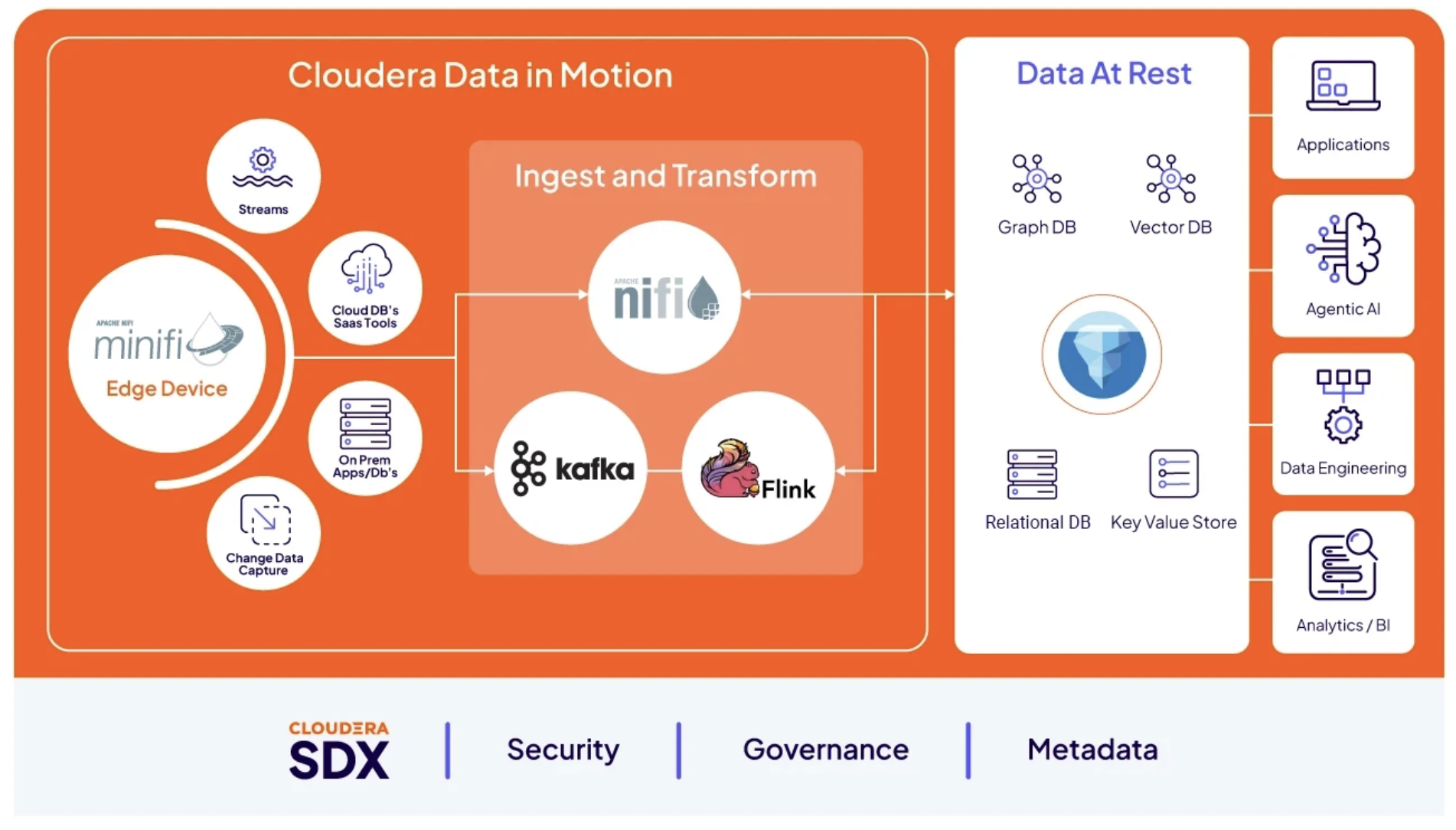
I bought this AMOLED ESP32-S3 to build Cloudera Edge Flow Manager flows for modern microcontroller. The board runs EFM in the firmware, owns its accelerometer, touch and speaker show up in EFM as processors, and a flow can read the glass and talk back to it — and once you understand what that means…. Lets Go!
This blog is another of those “what I wish someone had told me on day one” book of lessons. By the end you’ll know how the app package is shaped, how to see your UI before you flash it, the handful of traps that will eat an evening each, and how to make the board a citizen of a Cloudera Edge Flow Manager fleet so a flow can read its motion sensor and talk back to its screen.
 This is the “developing on it” post, not the “bringing it up” post. Board bring-up — the QSPI panel init order, the HAL board definition, the first platform flash — is its own story. This one starts from a board that already boots to a launcher.
The board has an OS, and that is the whole trick
The thing that reframes this hardware: the factory image is a full launcher — home screen, app grid, status bar, gesture navigation. It’s ESP-Brookesia, and it runs a JavaScript runtime. Your app is a directory of files on a littlefs partition. Drop a new directory in, and a new tile appears on the launcher.
That means the loop is not “edit C++, rebuild ESP-IDF, flash 8 MB, wait.” It’s “edit a .js file, patch the storage partition, flash 5 MB of littlefs, watch it appear.” On this board that’s about twenty seconds. The platform and the agent underneath are untouched.
Here’s a complete app — the whole thing, no omissions:
apps/tunastreet.hello/
├── manifest.json
├── app/
│   └── app.js
└── res/
    ├── profile.json
    ├── root.json
    ├── screens/home.json
    ├── images/index.json
    ├── images/launcher_icon.png
    └── flows/main.json
The manifest is the entire contract with the launcher:
{
    "package": {
        "id": "tunastreet.hello",
        "name": { "en": "Tuna Hello" },
        "version": "0.1.0",
        "visible": true,
        "systems": ["super"]
    },
    "runtime": {
        "type": "JavaScript",
        "entry": "app/app.js",
        "resource_dir": "res",
        "arguments": []
    }
}
res/screens/home.json is the UI as data — a tree of nodes with absolute or flex boxes, text, images, and event bindings. app/app.js is the logic: it sets text into named paths, subscribes to actions, runs timers, and makes HTTP requests. As far as I can tell, the tunastreet.hello package is the first runtime package built for Brookesia v0.8 outside Espressif — upstream ships the runtime but no example package, which is a large part of why the early going was slow.
Generate your screens. Do not hand-write them.
My first screens were hand-written JSON. Every one of them had a bug I could only find by flashing.
The fix was a small kit — tokens plus primitives plus a linter — that generates the screen file from Python. Every screen in every app I’ve shipped is generated, and the generator refuses to emit something the panel can’t draw:
pk.label("post_text", 16, POST_TEXT_Y, 336, POST_TEXT_H, role="body", size=16)
pk.button("t_like", 0, 0, 116, TOOLBAR_H, action="xviewer.like")
size=16 there isn’t arbitrary, and this is the single most expensive thing I learned about this panel:
There is no FreeType. Font sizes exist only on a compiled ladder: 8, 12, 16, 20, 24, 28, 32, 36, 40, 44, 48. An off-ladder size does not scale — it silently rounds down. My status bar “at 11sp” was really drawing at 8px, which is the entire reason the clock was illegible. A “15px floor” I set early was really drawing at 12. Ask for 56 and you get 48.
That one fact invalidated a week of UI tuning, because every measurement I took was of a size I wasn’t actually rendering. The generator now raises on any size off the ladder, so it can’t happen again. Same for tap targets: buttons live in a 76–88px band, and asking for 70 is an exception at generation time rather than a mystery on the glass.
See it before you flash it
The other half of the kit is a simulator that runs the app’s real, unmodified app.js and screen JSON in a browser at true 368×448, against the real backend.
cd amoled-1.8-v2/tools/simulator
node serve.js --port 8095 --proxy 127.0.0.1:8091
# http://127.0.0.1:8095/?app=tunastreet.xviewer
And the pre-flash gate, which is not optional in my workflow:
node lint.js --check tunastreet.xviewer
It boots the app under a fixture, hooks the GUI bridge, and reports any call that fails — a setText to a path you deleted from the screen, an image that will swallow the taps meant for what’s under it, text small enough to be unreadable, a box that escapes 368×448, a label shorter than its own line height, non-ASCII characters the compiled font can’t draw. Exit code is the finding count.
 Pro tip — the harness must never be more permissive than the board. My shim once upper-cased HTTP methods before calling
 fetch(). The browser accepted "GET"; the device requires exactly "Get" and silently drops anything else. So the simulator happily green-lit an app that, on the glass, never made a single request in its life. Any place your harness normalises, coerces, or is laxer than the real bridge is a bug it can never catch.
That "Get" bug cost one app its entire existence. The board’s HTTP service deserialises the method with a strict string-to-enum match on the enumerator name, Get. The flexible fallback doesn’t save you either: the snake-case conversion of "GET" is "g_e_t", not "get". The request struct never deserialises and the fetch never leaves the device — with no error. I found it by diffing the four backends’ access logs for the panel’s IP and noticing that one app had never once appeared in any of them. That comparison is still the fastest way to answer “is the device even asking?”
Getting it onto the glass
Build in WSL, flash from Windows. Only the storage partition moves:
:: runtime apps only -- platform and agent untouched
python -m esptool --chip esp32s3 --port COM8 -b 460800 write-flash 0xaa1000 littlefs_data.bin
The offset comes from partitions_16m.csv, where littlefs_data is 5000K at 0xaa1000. You can also patch that image directly with littlefs-python without going near ESP-IDF, which is how I iterate when I’m only changing an app.
Anything not staged into the build’s app tree vanishes on a storage flash. The upstream CMake hook wipes the app stage root once per configure and re-copies only registered packages. A hand-copied app survives exactly until the next configure and then silently disappears — which is how my board once spent a day running a build older than the repo. Register the package properly; don’t hand-copy into the staging tree.
The same “staged at configure time” trap bites audio. Sound files are staged into littlefs when CMake configures, not when it builds, so adding a .wav and rebuilding gets you an image that silently still has the old set. idf.py reconfigure first.
The traps that each cost me an evening
A clickable image eats the gesture underneath it. Images default to clickable. Put one across the middle of your screen and it will quietly swallow every tap or swipe meant for the thing behind it. My countdown app’s launch art ate every single navigation tap until I found it. The linter now fails any image that doesn’t explicitly declare its clickability.
Taps and swipes need one shared clock. The touch layer emits gesture events continuously while a finger moves, so a 600 ms drag cleared my 350 ms debounce window two or three times and advanced three cards per swipe. The fix isn’t a longer window — it’s stamping the clock on every gesture event, accepted or rejected, so a long drag keeps pushing the window out. And the tap guard and the gesture guard must be the same clock: give them separate ones and a single swipe scores once as a tap and again as a gesture, which turned my “fix” for over-swiping into six cards per drag instead of three.
The glass is a rounded rectangle. Usable width near an edge is less than 368. Text at a normal 16px inset but a few pixels down is inside the corner arc and gets clipped. The fix is to move text down out of the arc rather than inward, which preserves the layout’s alignment.
The V2 amplifier is inaudible below volume 100. A clip at the default volume of 75 runs to FINISHED and produces nothing you can hear. I checked pins, power rails, the amp enable GPIO and the codec declaration — all correct. It was just quiet.
Making it a fleet citizen
This is where the board stops being a gadget. Alongside the launcher, the platform image runs an EFM agent as a native background component. It adopts the launcher’s WiFi rather than fighting it for the radio, heartbeats to Cloudera Edge Flow Manager, and receives flow definitions over C2 — all while the UI keeps running.
The board’s senses are exposed as processors, so a flow author in EFM drives the hardware without touching firmware:
| Processor | What it gives a flow |
|---|---|
GetIMU |
Accelerometer and gyro, with a motion threshold so a bump is an event rather than a stream |
GetTouch |
Taps and swipes as events, with coordinates, duration and speed |
CaptureAudio |
Microphone clips out as WAV |
PlayAudio |
The board fetches a clip by URL and plays it |
DisplayMessage |
A flow-sent string delivered to the device |
Sources and sinks both. A flow can watch the panel get picked up, and a flow can make it speak.
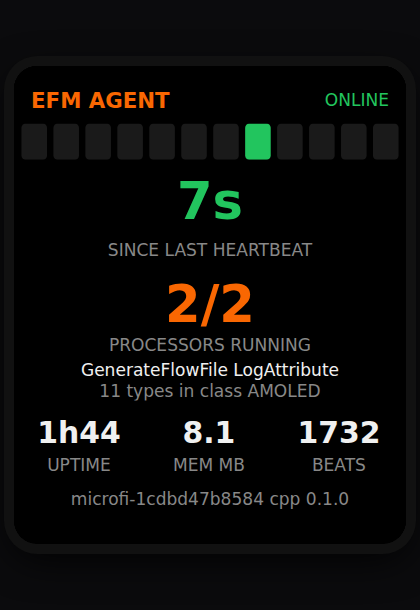
Two things I got wrong here that are worth stealing. First, a FlowFile on this agent carries 256 bytes of content — one second of 16 kHz mono audio is 32 KB, so audio never rides the flow. The clip goes broker-direct over MQTT and a small metadata FlowFile travels the chain instead. Second, and much more painful to debug: a node with an incoming connection only runs when a FlowFile is queued for it. There are no idle ticks for sinks. My first audio capture deferred its publish to “the next tick” and therefore never published at all, silently. Record, publish and emit all happen inside one trigger now.
Liveness is not the lastSeen field. The agent entity in EFM freezes until some descriptive field changes, so a perfectly healthy agent looks stale. Use the heartbeat counter, or the serial log. I burned real hours on a device that was never actually down.
What’s on my panel
Five apps, each in its own public repo, all built on the kit and simulator described above:
-
amoled-hello— the minimal template: one label on a black screen. Start here. -
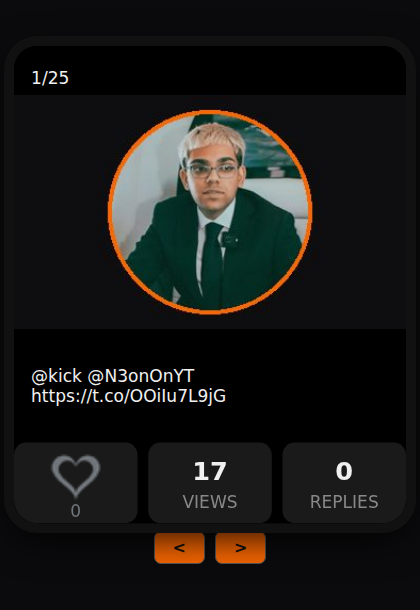
amoled-xviewer— swipe an X feed one card at a time, tap to like. -
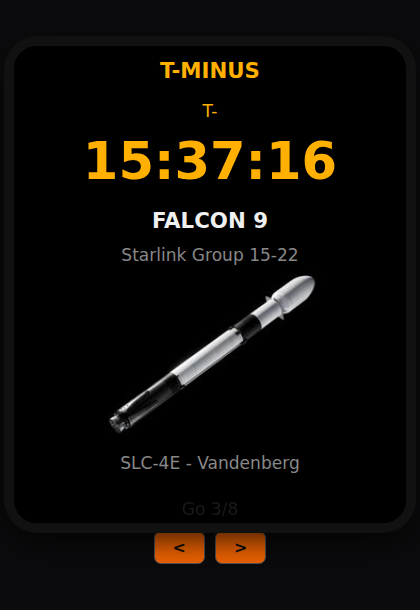
amoled-tminus— the next rocket launch, counting down. -
amoled-racing— a driving game, because the panel deserved one. -
amoled-agent— the EFM agent’s own heartbeat and processor status, on the device it’s running on.
 |
 |
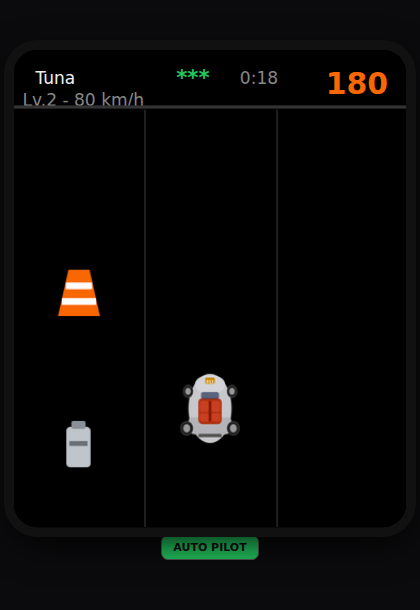 |
| swipe a feed, tap to like | the next launch, counting down | and a driving game |
The platform, the UI kit, the simulator and the flash tooling all live in waveshare-devices.
Where this goes next: stop flashing entirely
Twenty seconds is good, but it still resets the board and drops the agent for about fifteen. Brookesia ships an App Store client, and reading its source turns up something better.
A .bpk package is just a ZIP with a manifest.json at its root, named <package.id>.<debug|release>.<version>.bpk. My five packages are already exactly the right shape — publishing would be zip-and-serve, not a rewrite. The store client reads an index.json from a server root you can override to a machine on your LAN. Better still, its Local tab scans for .bpk files in the device’s public Download folder on internal storage or SD card: drop a file there, tap install, no server and no cable at all.
This part is research, not a shipped workflow. I have read the source and confirmed the package format; I have not yet installed an app this way. One open question decides it: release signature verification is compiled in by default, checking RSA-PSS-SHA256 over the archive — and the packing tool the verification code names doesn’t exist anywhere in the public repository. Whether a debug-type package bypasses it is an on-device experiment I haven’t run.
What NOT to do
- Don’t trust a font size you didn’t check against the ladder. Off-ladder rounds down, silently. Every UI measurement you take is otherwise of something you aren’t rendering.
- Don’t hand-write screen JSON. Generate it, and let the generator refuse what the panel can’t draw.
-
Don’t let your simulator be more permissive than the device.
"GET"is not"Get", and a lax harness certifies broken apps. - Don’t hand-copy an app into the build’s staging tree. It vanishes at the next configure and you’ll be debugging a stale build.
-
Don’t add a
.wavand just rebuild. Reconfigure, or the image keeps the old sounds. - Don’t leave an image clickable unless you want it eating the gestures underneath.
-
Don’t judge agent liveness by
lastSeen. It freezes on a healthy device.
Resources
-
waveshare-devices— the platform, UI kit, simulator and flash tooling. -
amoled-racing— the driving game source. -
amoled-hello— the minimal app template. -
amoled-xviewer— swipe an X feed, tap to like. -
amoled-tminus— the next rocket launch, counting down. -
amoled-agent— the EFM agent’s heartbeat and processor status.
How to Develop with the Waveshare AMOLED ESP32-S3
If you would like a deeper dive, hands on experience, demos, or are interested in speaking with me further about How to Develop with the Waveshare AMOLED ESP32-S3 please reach out to schedule a discussion.